Drobe

A cross-platform capsule wardrobe app that reduces decision fatigue and encourages sustainable fashion habits through colour-first outfit planning and offline-first architecture.
FlutterHiveProviderFigmaOffline First
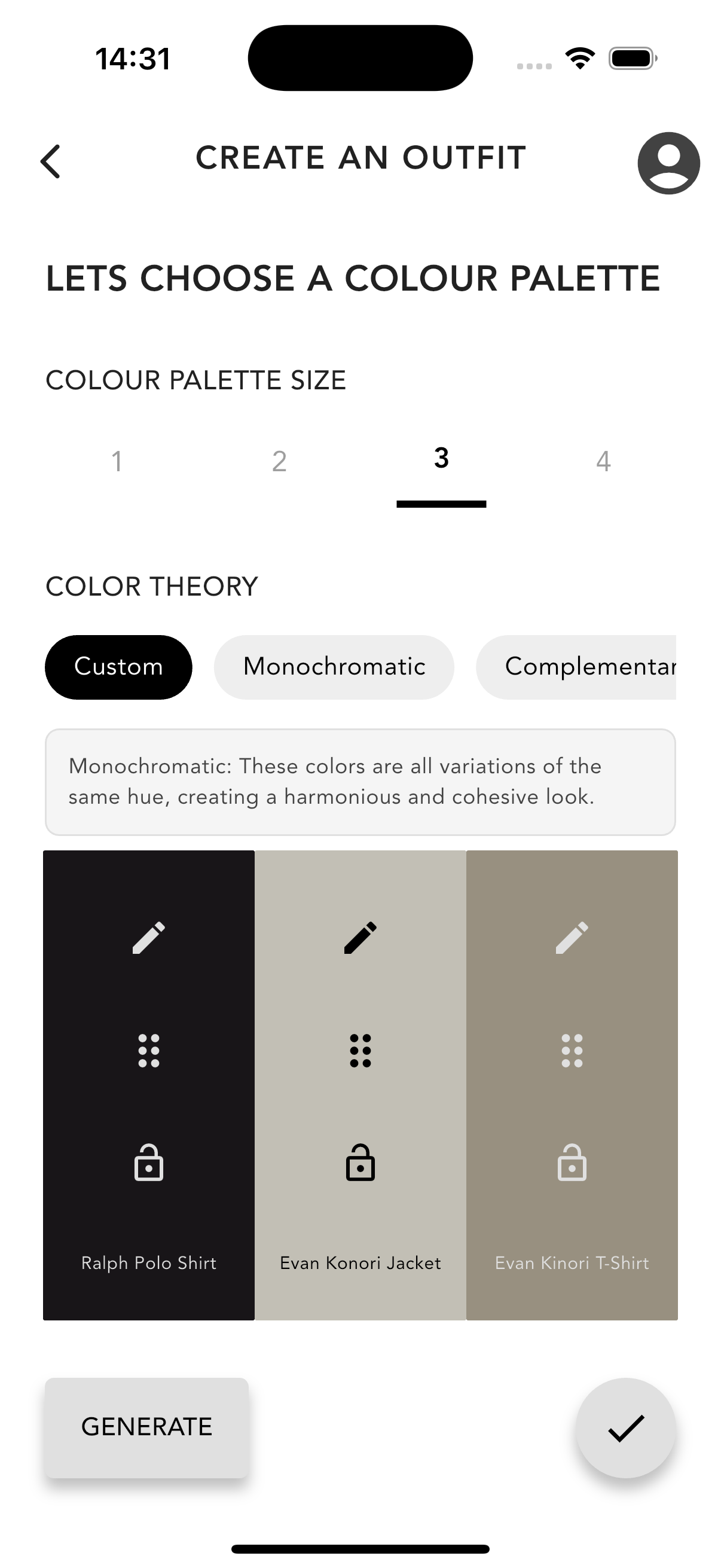
Colour palette selection screen in Drobe showing palette size and colour theory options
Choose a palette size and colour theory rule before building an outfit
Drobe login screen with email and password fields
Clean authentication screen with email, password, and sign-up flow
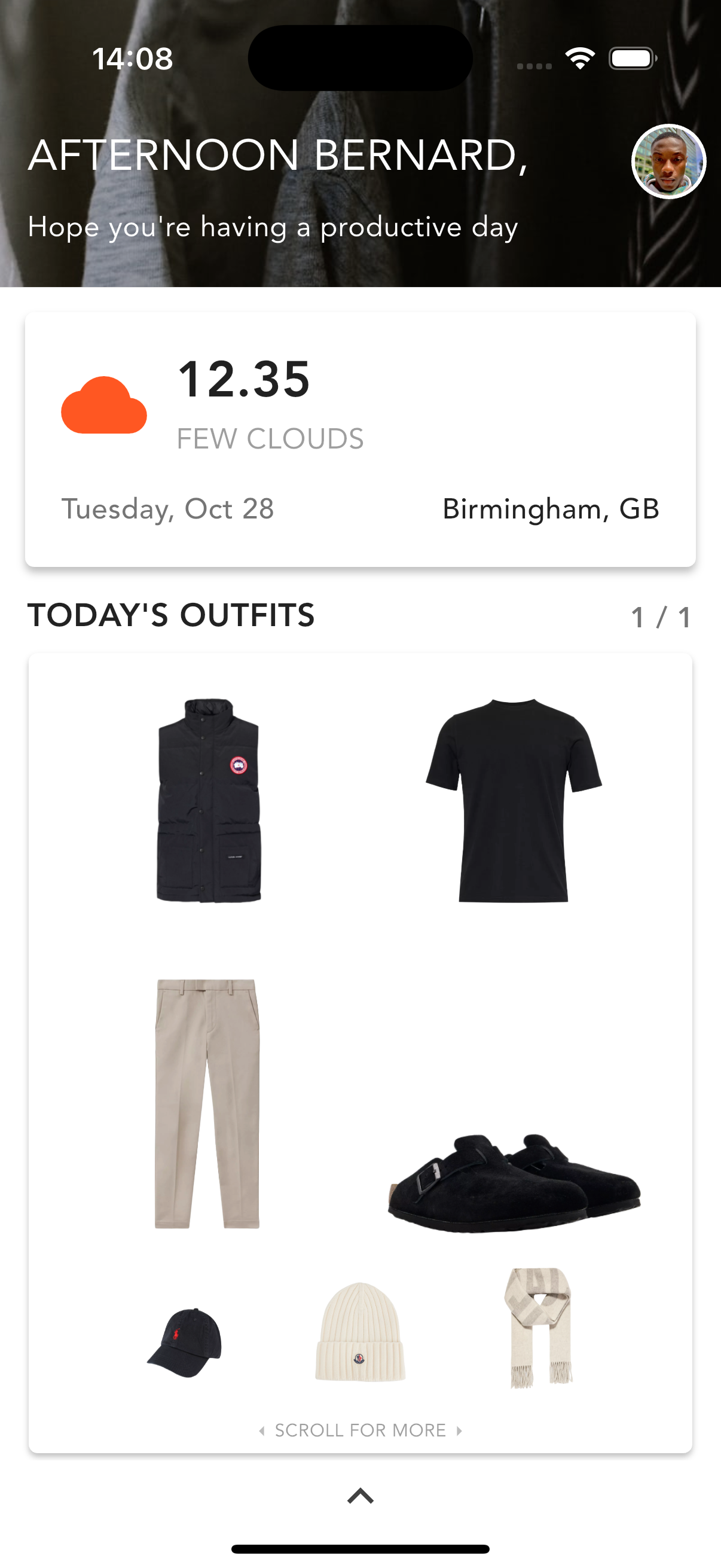
Drobe home screen showing personalised greeting, weather context, and today's outfits
Personalised home screen with live weather context and today's saved outfits

Overview

Drobe is a mobile application designed to help users build a sustainable capsule wardrobe by digitising their clothing, planning outfits via a colour-first workflow, and generating harmonious colour palettes.

Built with an offline-first architecture using Hive for local persistence, the app remains fully functional without internet connectivity , respecting user privacy and device constraints.

Developed as my final-year Computer Science project, Drobe demonstrates end-to-end product thinking , from research-informed design decisions to production Flutter implementation.

Source Code

Explore the full Flutter implementation and run the app locally via the public GitHub repository.

View repository

Constraints

The product needed to work as a genuinely useful wardrobe tool rather than just an inspiration board.
Outfit planning had to reduce decision fatigue while still giving users a sense of control and creativity.
The experience needed to feel calm and lightweight, with storage and sync choices that supported regular personal use.
Sustainability had to be reflected in everyday product behaviour, not just in brand messaging.

Problem

Users often own an excess of clothing but still feel they have "nothing to wear." The challenge: help users reduce decision fatigue, limit overconsumption, and plan outfits that align with their personal style , without adding friction or complexity.

Research & Insights

Competitive & literature-informed research

  • Reviewed existing wardrobe apps (Stylebook, Cladwell, Pureple) to identify gaps in decision-fatigue support, sustainability nudges, and offline flexibility.
  • Analysed app store feedback to understand common user frustrations: complex interfaces, feature overload, and reliance on cloud connectivity.
  • Anchored the problem in decision fatigue theory and capsule wardrobe research showing reduced stress and more intentional consumption with constrained choices.
  • Applied colour harmony principles (monochromatic, complementary, analogous) to support mix-and-match behaviour in capsule wardrobes.

What that changed in the product

  • Filters and saved outfits became core "decision load reducers".
  • Palette selection became the entry point to outfit creation.
  • Offline-first became a must-have requirement, not a nice-to-have.

Design Rationale

Design principles

  • Reduce decision fatigue: narrow choices via colour + category filtering and reusable saved outfits.
  • Encourage sustainable habits by default: increase awareness of owned items and support rotation/reuse without "preaching".
  • Offline-first & privacy-respecting: wardrobe data stays on-device; the app remains useful without connectivity.

Key UX decisions (and why)

  • Colour-first outfit building: selecting a palette first encourages cohesion and makes capsule dressing easier.
  • Structured outfit slots over drag-and-drop: better for small screens and reduces interaction complexity during planning.
  • Background removal: cleaner tiles reduce visual noise and help users "see the outfit" faster.

Prioritisation

Using the MoSCoW method to define scope and prevent feature creep:

Must-have

Add/edit/delete items, save outfits, full offline use, colour filtering.

Should-have

Background removal, palette generation, stronger search/filtering.

Could-have

Laundry tracking, daily outfit suggestions.

Won't-have (yet)

Seamless cloud sync + social/community features (deferred to protect MVP scope).

This prevented feature creep and kept the build focused on reducing outfit-planning friction.

Key Flows

Wireframing & Prototyping

Designed key screens in Figma with a neutral, minimal aesthetic, starting from low-fidelity Whimsical wireframes.

Palette-first outfit creation

Users select or generate a colour palette before browsing items. This constrains choice and guides cohesive outfit building.

Structured outfit slots

Rather than freeform drag-and-drop, users place items into predefined slots (top, bottom, shoes, accessories) for faster mobile interaction.

Filtering & search

Filters by category, colour, and occasion reduce the number of items to browse at once, lowering cognitive load.

Build & Architecture

Product focus

Needed to run fully offline and remain fast with many image assets.

Technical choices (in service of UX)

  • Flutter for consistent cross-platform UI and performance for image-heavy workflows.
  • Hive for lightweight local persistence (fast reads/writes; privacy-first storage model).
  • MVVM + modular services (e.g., image processing, persistence, outfit logic) to keep the codebase scalable and maintainable.

Testing & Validation

  • Exploratory testing, scenario-based testing, checklist testing, regression testing to validate core flows.
  • Heuristic evaluation against Nielsen's principles (clarity, feedback, consistency, error prevention).
  • Cross-platform checks on iOS + Android; verified offline behaviour (e.g., airplane mode).

Challenges & Solutions

Reliable image persistence

Fixed iOS path issues by storing images in the documents directory and normalising orientation metadata.

Palette extraction accuracy on patterned items

Extract colours after background removal; cap stored colours; allow manual edits.

UI not refreshing after data changes

Integrated Hive updates with Provider state + notifyListeners() for reactive UI refresh.

Responsive layout across devices

Adaptive grids + theme/text scaling checks.

Key Screens

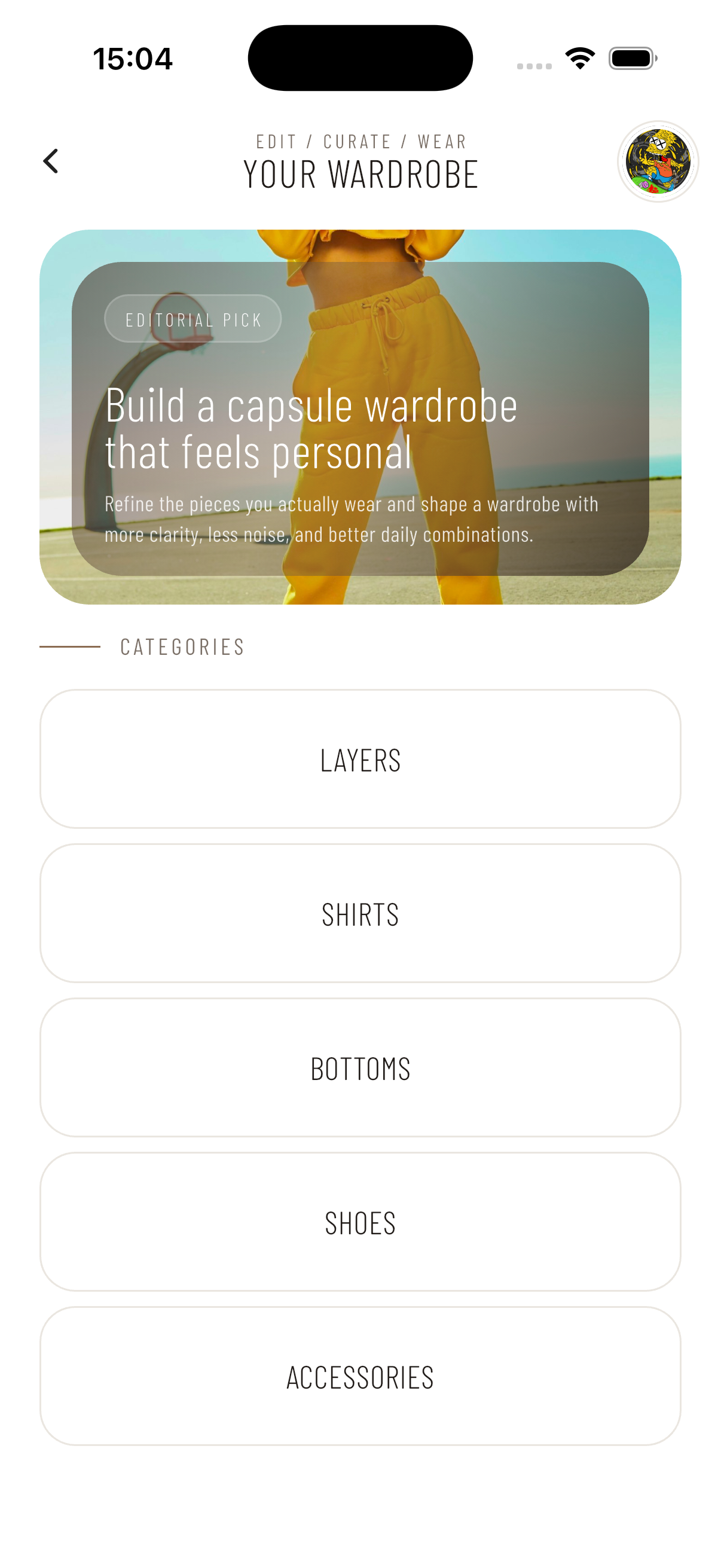
Drobe wardrobe home screen showing editorial banner and category list

Wardrobe home

Entry point into the wardrobe with an editorial banner and category navigation.
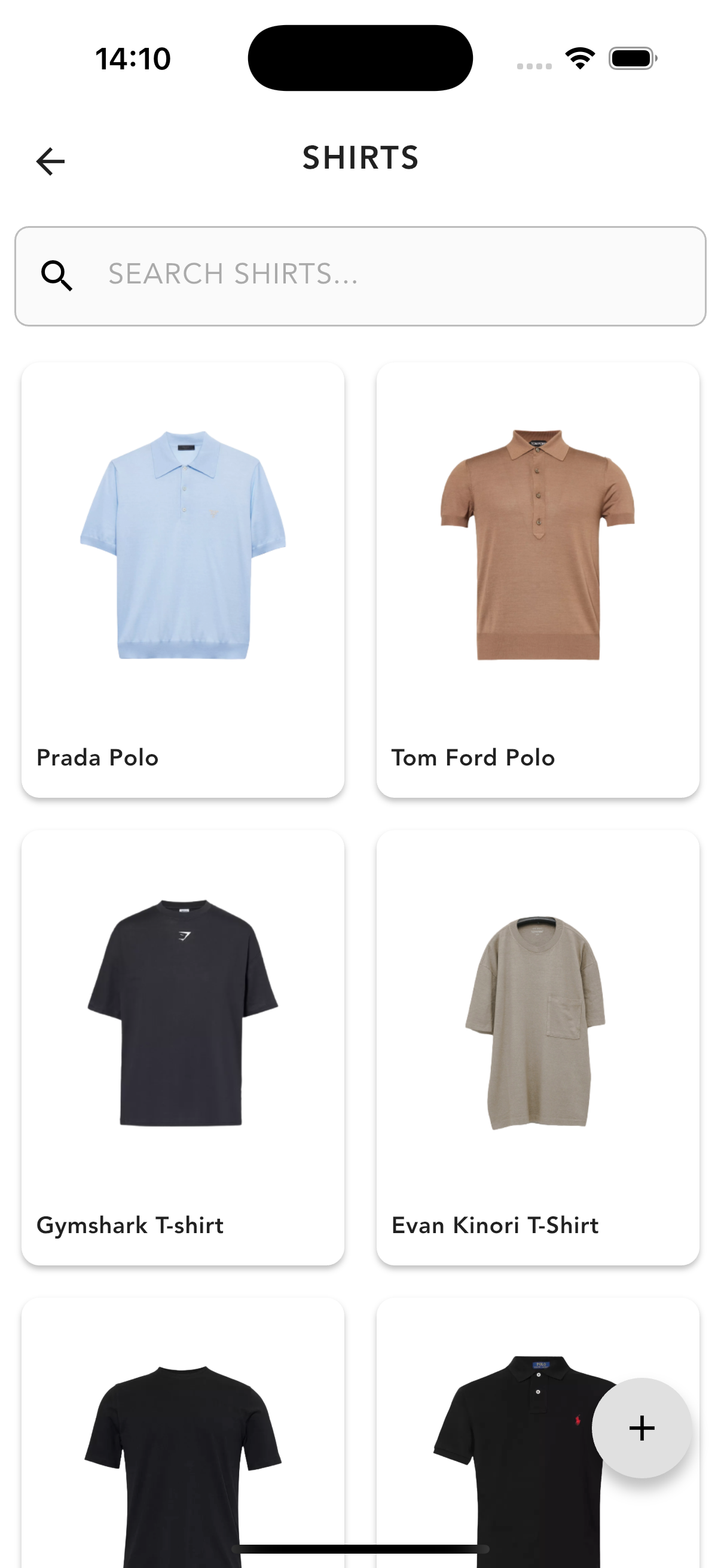
Drobe category view showing a grid of shirts with search bar

Category view

Browse all items within a category with inline search and an item count.
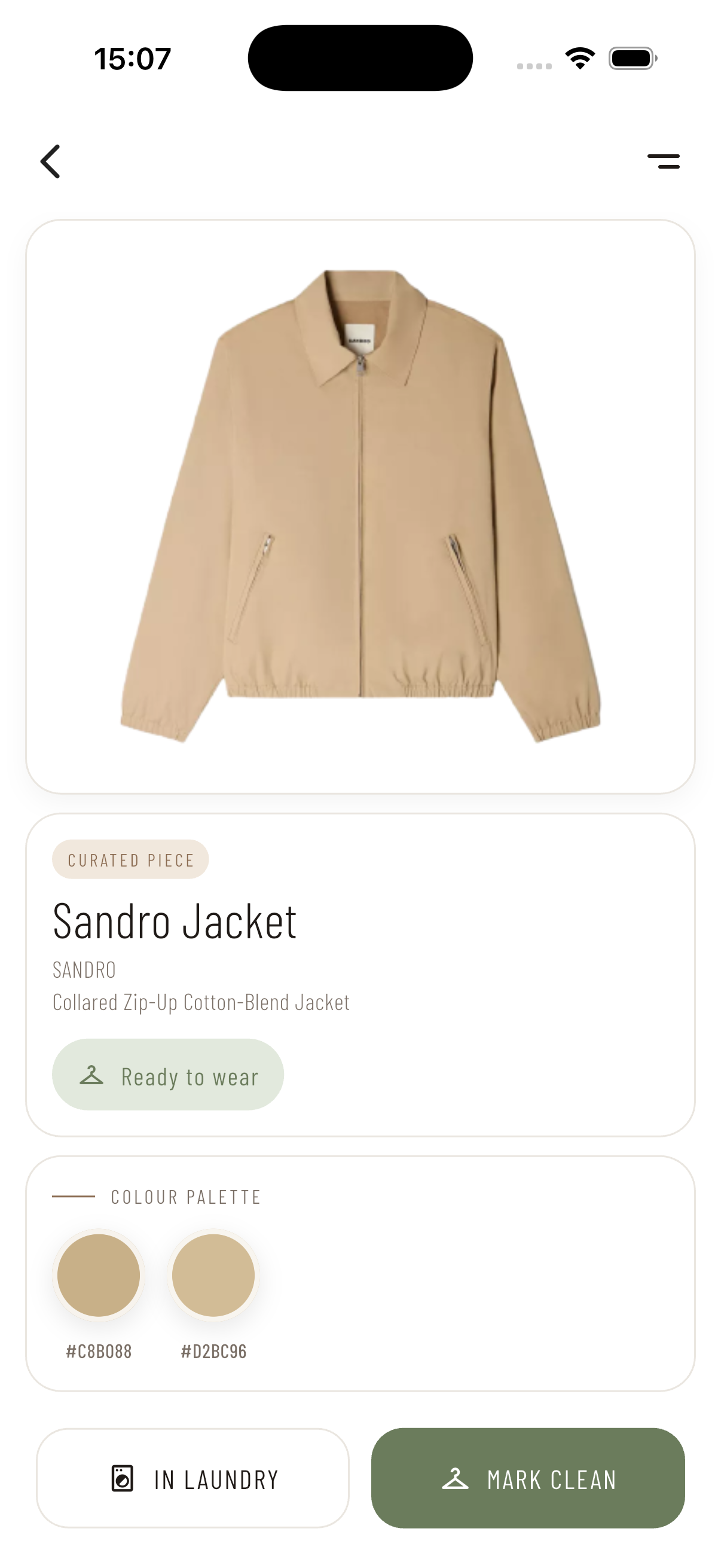
Drobe item detail screen showing a Sandro jacket with status and colour palette

Item detail

View garment metadata including brand, wear status, and extracted colour palette.
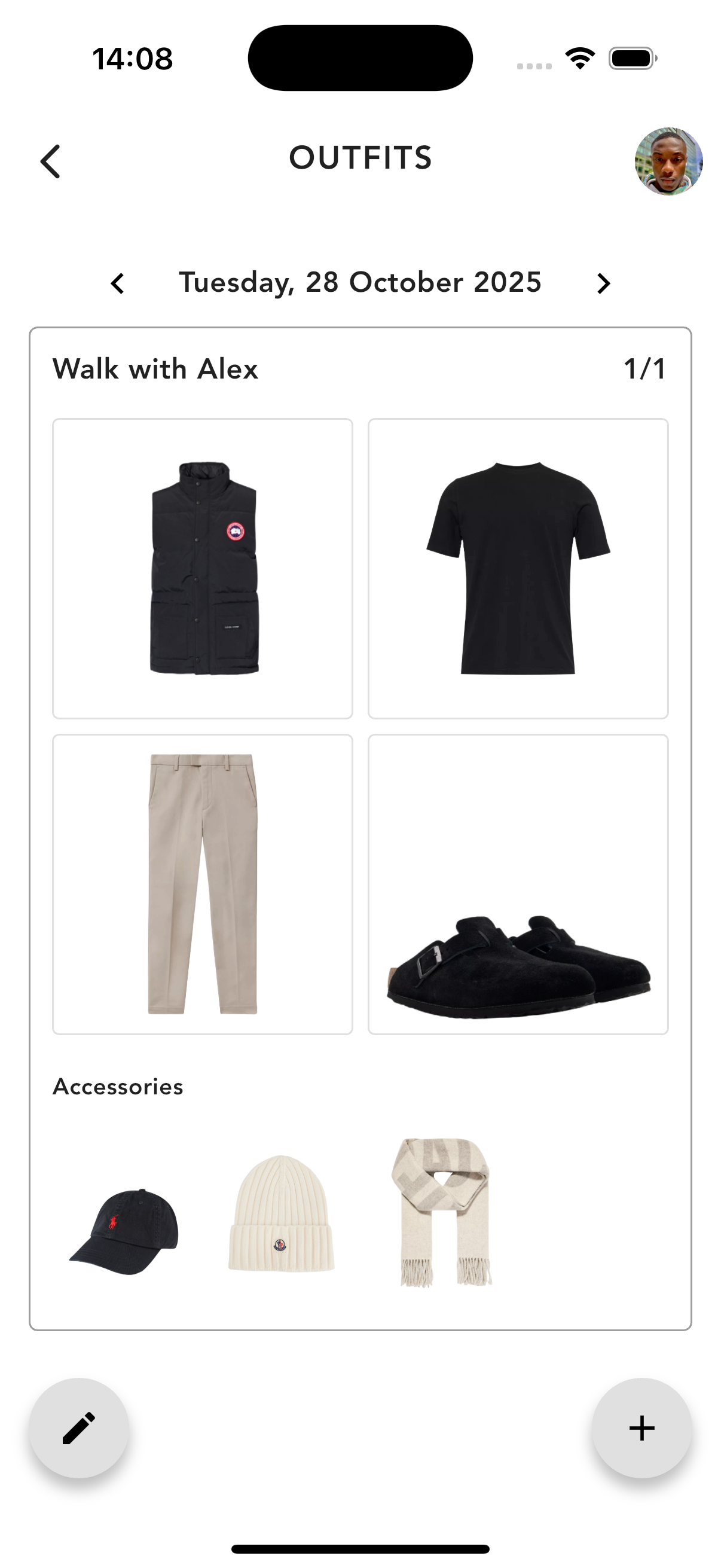
Drobe outfits screen showing a saved look for Tuesday 9 June with jacket, shirt, trousers and shoes

Saved outfits

Browse date-indexed saved outfits and navigate between looks for the day.
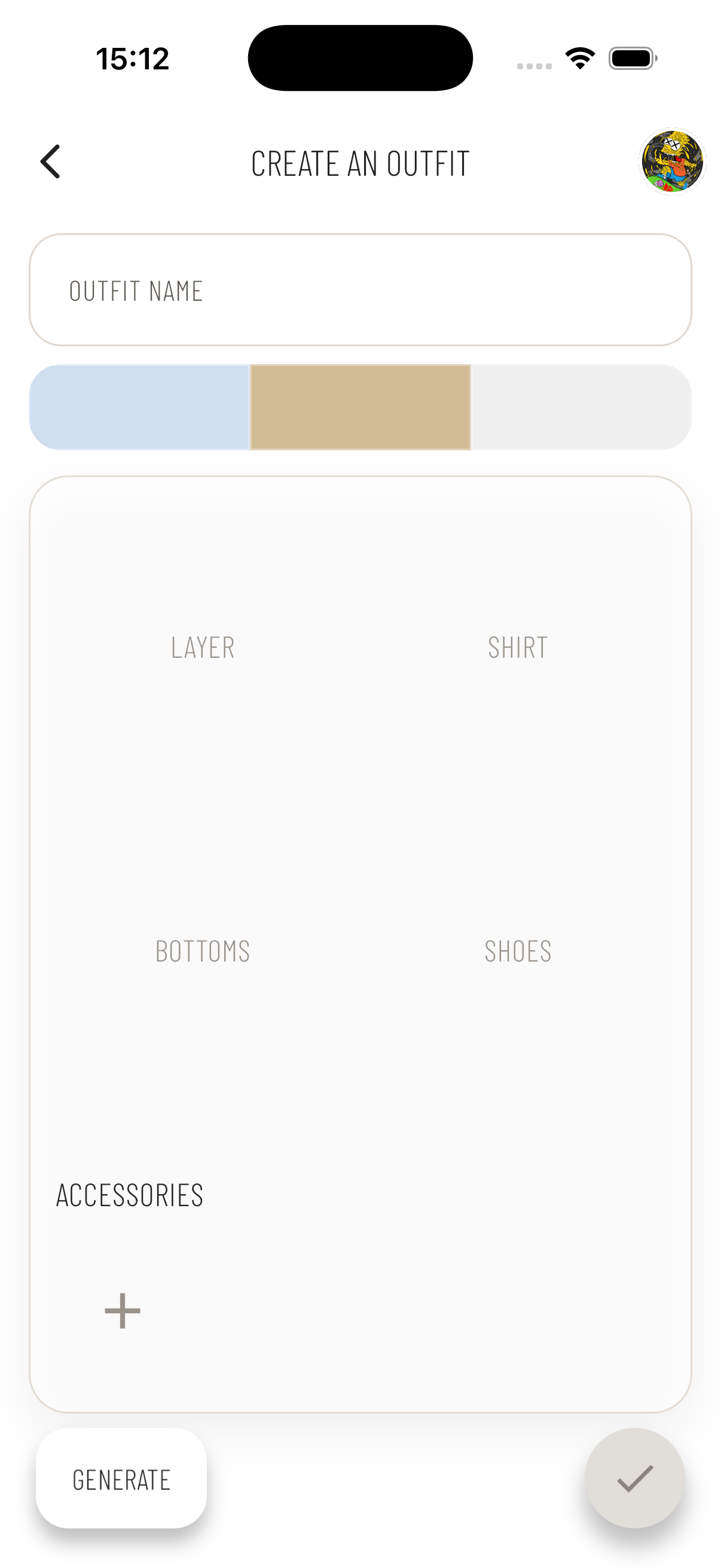
Create an outfit screen in Drobe showing empty slots for layer, shirt, bottoms, shoes and accessories

Outfit canvas

Structured slots for each garment category guide the outfit-building process.
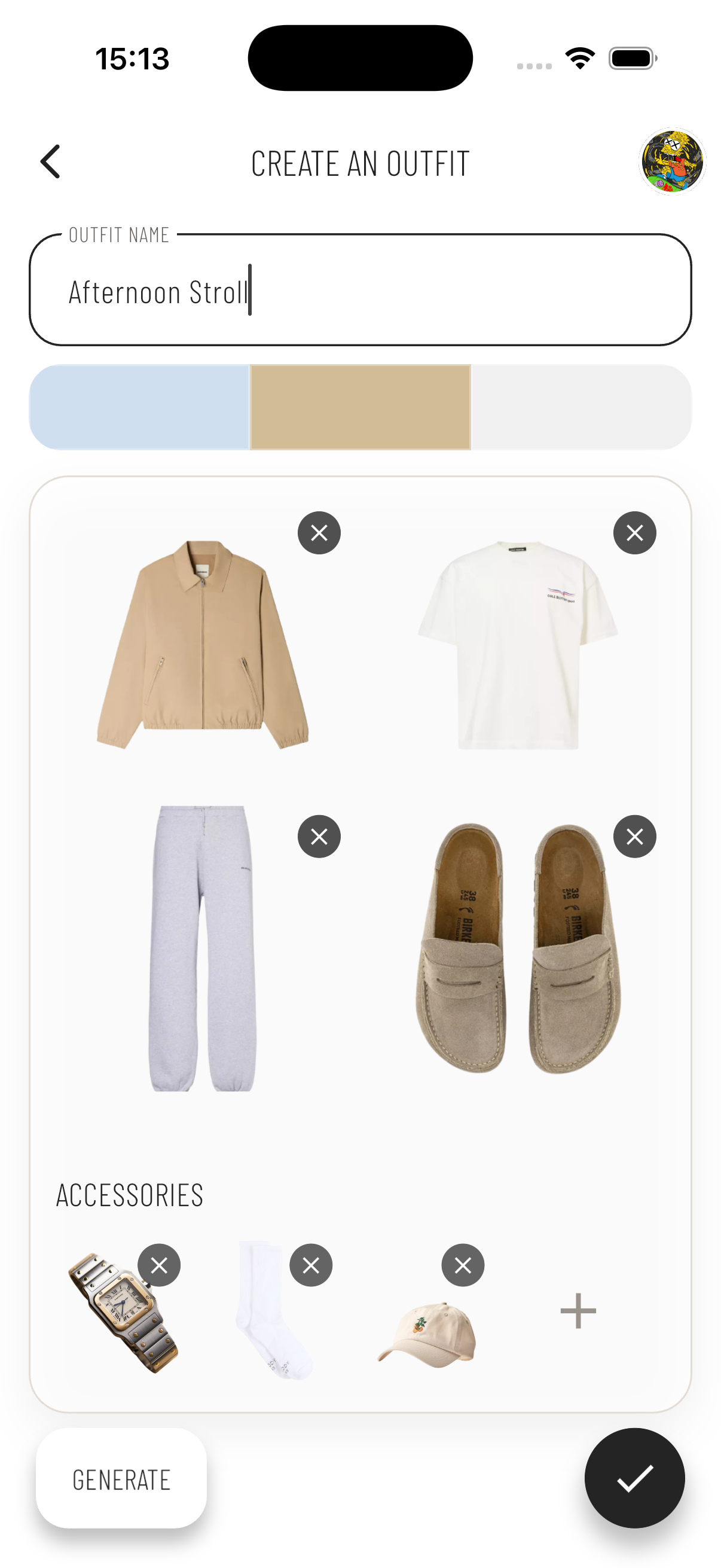
Create an outfit screen in Drobe with Afternoon Stroll outfit filled with garments and accessories

Outfit in progress

Name the look, pick a colour palette, and fill slots with items from the wardrobe.
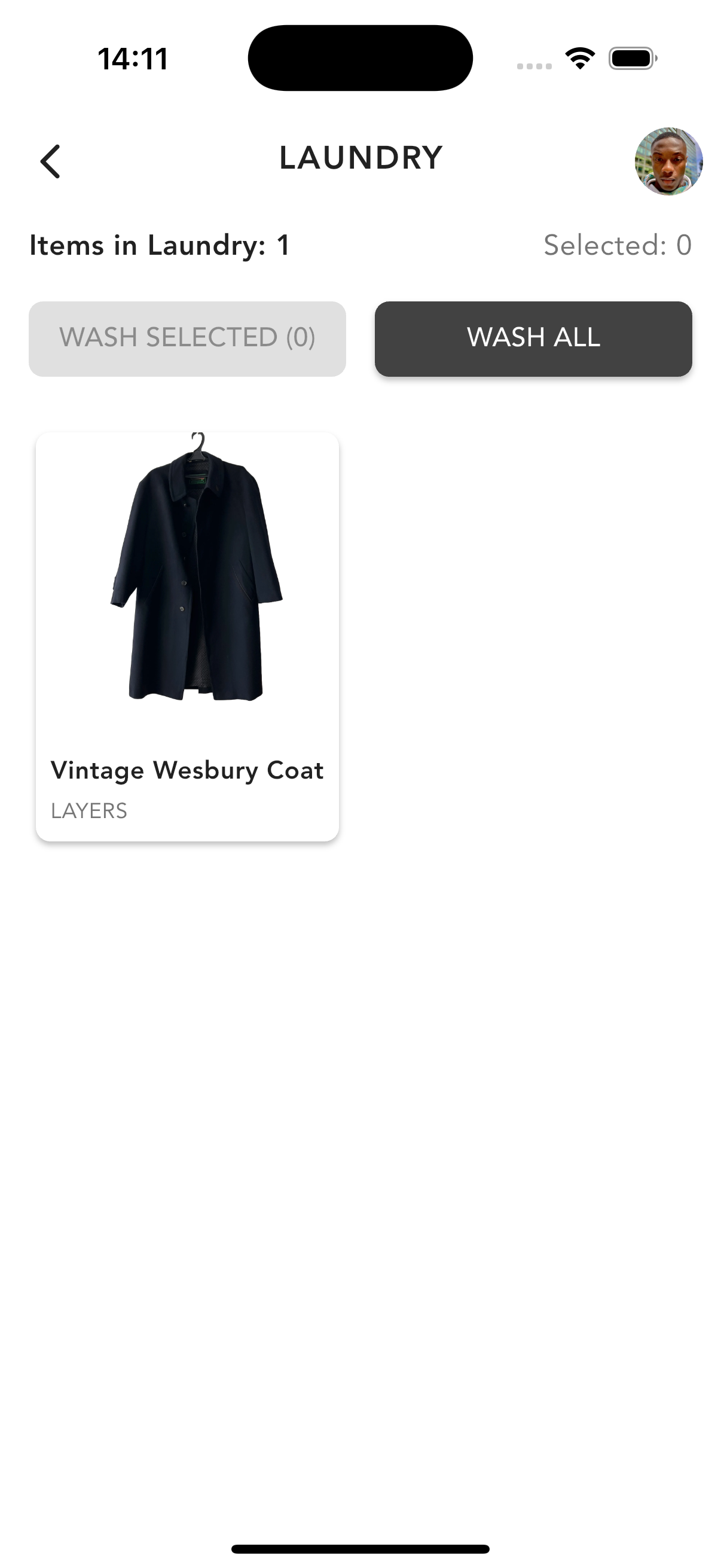
Drobe laundry screen showing three shirts currently in the wash

Laundry tracker

Review items in the wash and batch-mark them clean to keep wardrobe status accurate.
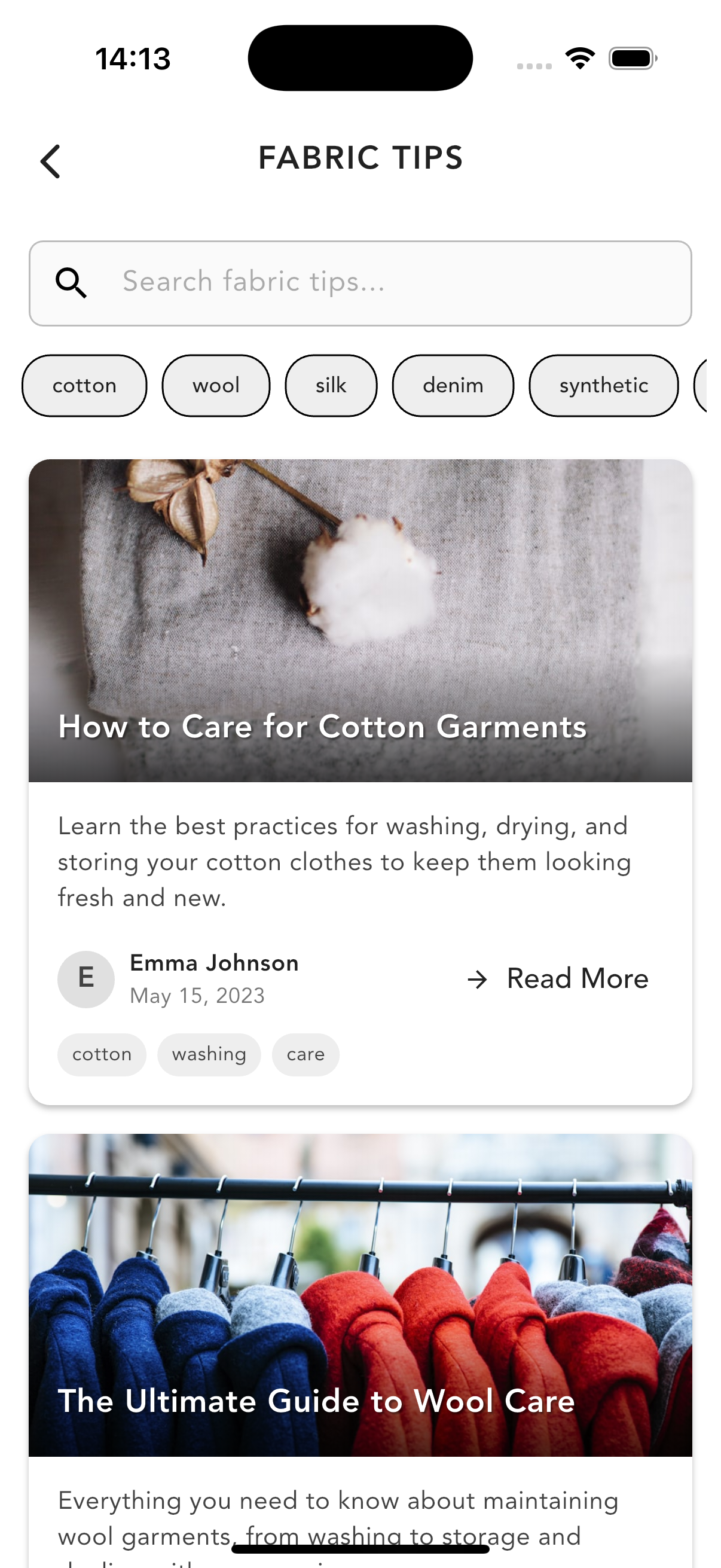
Drobe fabric tips screen with material filter chips and care guide articles

Fabric tips

Searchable care guides filtered by material type to help users look after garments.
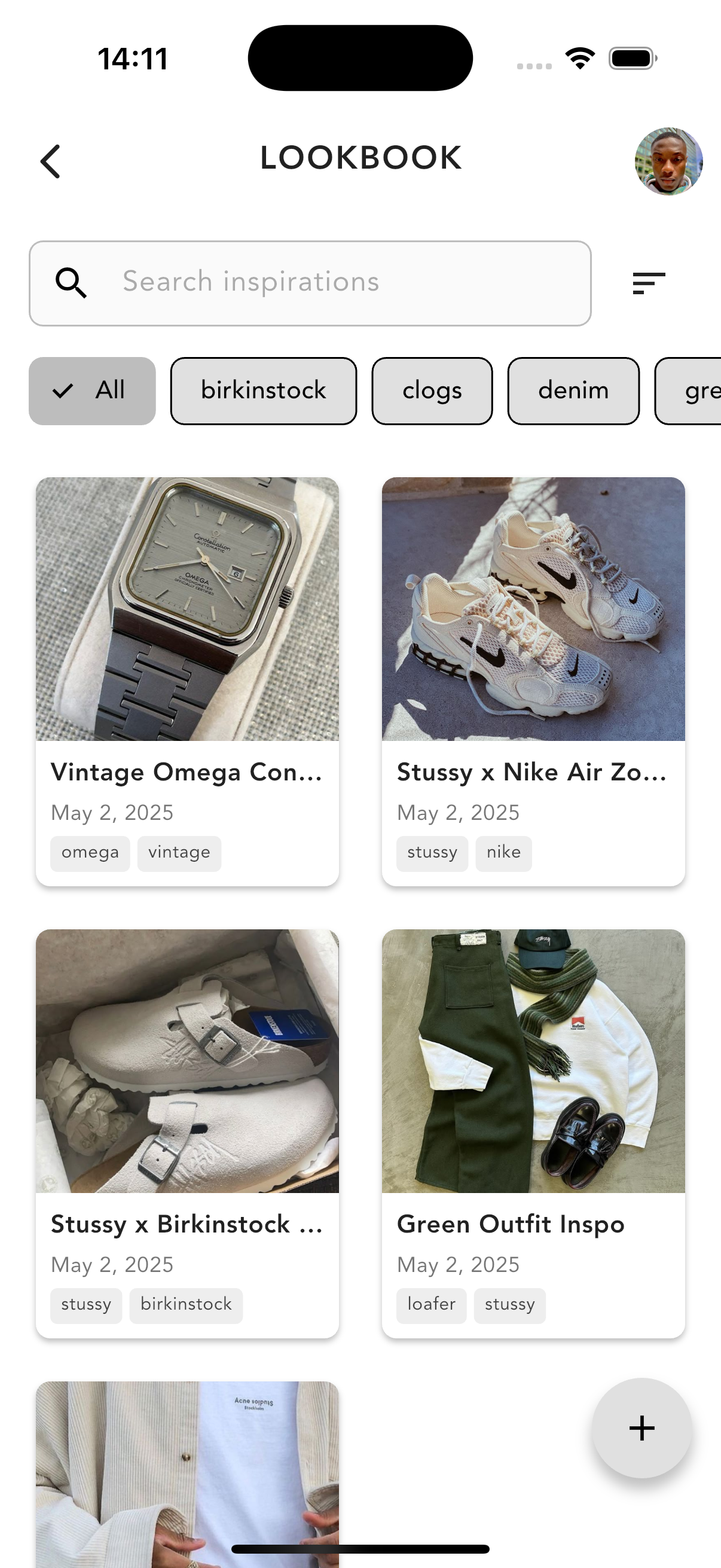
Drobe lookbook grid showing saved outfit inspiration posts with tags

Lookbook

Save and tag outfit inspiration to reference when planning new looks.
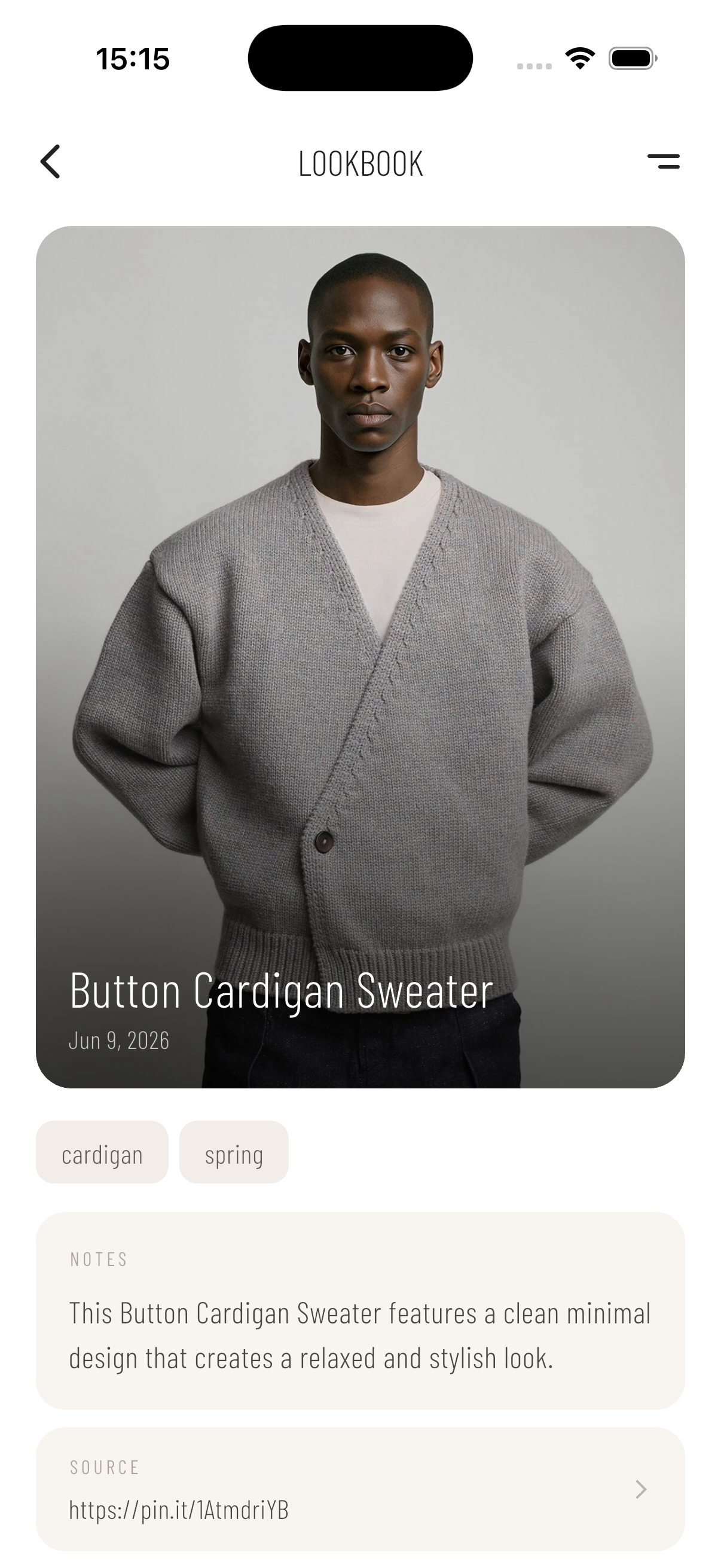
Drobe lookbook detail view showing a Button Cardigan Sweater post with notes and source link

Lookbook detail

Expand any saved piece to view the full image, tags, personal notes, and source.

Outcome

  • Delivered a functional cross-platform prototype that reduces outfit planning friction through structured flows, filtering, and reusable saved outfits.
  • Reinforces sustainable behaviour by increasing awareness of owned items and encouraging rotation/reuse.
  • Built an extensible architecture for future features like recommendations, analytics, and multi-device sync.
  • Awarded a First-Class for innovation, technical depth, and usability.

Project Details

Role

UX Designer, Flutter Developer

Duration

Oct 2023 - Apr 2024

Tools

Flutter, Hive, Figma, Whimsical

Next Project

Interactive visitor experience for a wildlife sanctuary